 Omnivorous Cat
What failing to photograph the moon taught me about exposure and phone lenses
Today I’m heading home for Mid-Autumn Festival, and somewhere on the train I got curious about last night’s photos. Mid-Autumn Festival means the moon, and I’ve always thought a night sky with the moon in it looks beautiful. But no matter how I shot it, I could never get the composition and feel I saw with my own eyes. So where was the problem, exactly?
On a whim yesterday I looked into it, and it turns out the moon is actually a very bright object at night, since it’s reflecting sunlight. The common instinct is that shooting at night means switching to night mode, and night mode brightens the shadows by stretching the exposure and stacking multiple frames to pull out detail. But the moon itself is so bright that if the whole frame is exposed for the dark parts of a night scene, the moon blows out almost instantly and loses all its surface detail.
That got me spending some time figuring out what actually separates phone photography from camera photography, what the underlying principles are, and how to get a different feel or look out of a shot. The more I read, the more familiar it felt: taking bad photos comes from not understanding the principles behind photography, the same way that writing code without understanding the architecture means you just bang out features that end up not fitting together, doubling your effort for half the result. Once I’d picked up a bit of the basics I found it genuinely interesting, so I figured I’d write a post to record what I learned.
Aperture, shutter, ISO: three variables, each with a cost
The three concepts anyone starting out in photography runs into are shutter, aperture, and ISO. At its core, photography is just the sensor picking up light of different intensity and color and recording it as an image.
Think of the sensor as a sealed room. Aperture is the door to the outside; the wider it opens, the more light gets in during the same stretch of time. Shutter is how long that door stays open; the slower the shutter, the longer the door stays open, and the more light comes in. ISO stands for the sensitivity of the image signal, essentially a gain setting: the higher the ISO, the more the same signal gets amplified into brightness.
All three can brighten an image, each in its own way, and each comes with a cost. A wider aperture lets in more light but shrinks the depth of field, so your subject pops more and the background blurs more easily. A slower shutter lets in more light but makes it harder to freeze a moment precisely, so motion blur or camera shake shows up more easily. A higher ISO amplifies whatever signal the sensor picked up, brightening the image, but it also amplifies the tiny variations and noise riding along with that signal, so the image gets grainier.
So at its core, photography is about getting the right exposure when there’s too little or too much light, choosing which of the three to adjust and which cost to pay for it, and ending up with the photo you actually wanted. Once you know what you’re shooting and what you want to emphasize, what matters and what doesn’t, you can make that trade-off based on the underlying principles and land on the right settings. There’s no one setting that’s always correct, only the setting that fits whatever you’re trying to shoot.
Using the Pixel 10’s specs to understand why lenses specialize
Once you’ve got the basic principles down, it’s time for something more hands-on. Unless you’re specifically into gear, a phone is usually the most readily available camera you own. I’m currently on a Google Pixel 10, which happens to make a good case study: its official specs let me understand a phone’s lenses and shooting features in more concrete terms.
| Lens | Resolution | Aperture | Field of view | Sensor | Other |
|---|---|---|---|---|---|
| Wide main lens | 48MP Quad PD | f/1.7 | 82° | 1/2" | Optical image stabilization |
| Ultrawide | 13MP | f/2.2 | 120° | 1/3.1" | — |
| Telephoto | 10.8MP Dual PD | f/3.1 | 23° | 1/3.2" | 5x optical zoom, up to 20x Super Res Zoom, optical image stabilization |
| Front | 10.5MP Dual PD | f/2.2 | 95° | — | Autofocus |
The table shows Pixel 10 actually packs four lenses, three on the back and one on the front, each with a clearly defined job.
The main lens: it has to shoot everything, so it’s the most balanced
Its job is everyday shots, low light, people, food, landscapes, and when conditions allow, it also leaves you more detail and room to crop. A wide aperture pulls in a bit more light, a larger sensor helps in the dark, high resolution keeps detail intact, stabilization cuts down on shake, and good autofocus locks onto the subject fast.
The main lens isn’t built to solve any one problem. It’s built to shoot everything.
Ultrawide: solving the problem of “it doesn’t fit”
Its job is scenes too big or spaces too tight for a normal lens to fit in the frame: mountains, buildings, interiors, a big group photo. So what matters most here isn’t resolution, it’s a wider field of view, and the cost is usually a smaller aperture, a smaller sensor, and more distortion at the edges. The wider you cram a scene into the same frame, the less space each distant subject gets.
It’s not about shooting more clearly. It’s about shooting more of it.
Telephoto: solving the problem of “it’s too far away”
Its job is a subject too far away, one that a normal lens would render too small: animals, distant buildings, something up on a mountain, a stage, sports. What matters most here is a narrower field of view paired with a longer focal length; the Pixel 10’s 5x telephoto is what makes something far away look bigger in the frame. The cost is usually a smaller aperture, less light gathered per unit of time (which tends to hurt in low light), more visible shake, and a lens that’s harder to keep small.
Ultrawide solves “it doesn’t fit.” Telephoto solves “it’s too far away.”
Front camera: solving “I want to shoot myself”
It doesn’t need to be as all-purpose as the main lens, because its job is narrow and clear: selfies, video calls, faces. So it leans hard into a wide field of view, autofocus, face detection, and HDR or portrait processing.
Why can’t one lens just do everything
Just like the basics of exposure, camera gear itself is a trade-off. Trying to make one lens do everything drives up its size, cost, and weight, and once you factor in a phone’s usability, hardware limits, and cost, that’s exactly why lenses end up specialized for different situations instead.
Your phone hides “how to shoot” so you only have to decide “what to shoot”
In most situations, a smartphone has already pre-baked a whole layer of complex decision-making for you: how to auto-adjust shutter, ISO, white balance, HDR, and so on, all written into the camera app, with the manufacturer making most of those calls on your behalf. Shooting a portrait, the system might pick the right lens and exposure, then use computational photography to simulate shallow depth of field and make the subject pop. Shooting a night scene, it might stretch the exposure, push the ISO up, and stack multiple frames to pull enough brightness and detail out of the dark. Most of the time, all you have to decide is “what am I shooting,” and the phone handles “how do I shoot it.”
Because of that, some phones deliberately hide their own capabilities, steering you toward the framework they’ve designed. So what if you want to take what you just learned and go play with a different feel? First you need to understand hard limits and soft limits.
Hard limits and soft limits: know the ceiling before you try to take control
A hard limit is something the hardware simply can’t do. A dedicated camera gets its flexibility by swapping lenses, but most smartphones can’t swap lenses at all, and under that hardware constraint, aperture is usually the first thing you lose control over. On the Pixel 10, each of the three rear lenses has a fixed aperture: f/1.7, f/2.2, and f/3.1. Those are set by the hardware itself, and no third-party app can turn a fixed aperture into a genuinely variable one.
A soft limit is a feature the stock camera app doesn’t expose to you, even though the hardware might actually support it. Whether an app can control those features depends on whether Android’s Camera2 API exposes the matching hardware capability to apps at all. I used an app called Camera2 API Probe to check exactly which camera capabilities my Pixel 10 actually exposes.
The result: my Pixel 10 lets you adjust shutter speed and ISO through the Camera2 API, so those two became the controls I could actually practice with.
Hands-on: running three tests with Open Camera
The stock camera doesn’t support this much flexibility, so I needed an app that supports the Camera2 API. I went with Open Camera (official site: opencamera.org.uk), an open source camera app with solid support and regular updates. To wrap up what I’d learned, I ran a few hands-on drills, since it’s the muscle memory from actually shooting that makes it stick.
Still-life drills
- Shutter: ISO fixed at 100, shutter at 1/30, 1/125, and 1/500 in turn. Watch for brightness, camera shake, and motion blur.
- ISO: an indoor still life, shutter fixed at 1/125, ISO at 100, 400, and 1600 in turn. Watch for brightness, noise, and detail.
- Shutter × ISO: same still life, keeping the brightness roughly consistent, shot at 1/30 + ISO 100, 1/125 + ISO 400, and 1/500 + ISO 1600. Watch what differs between three equally bright shots.
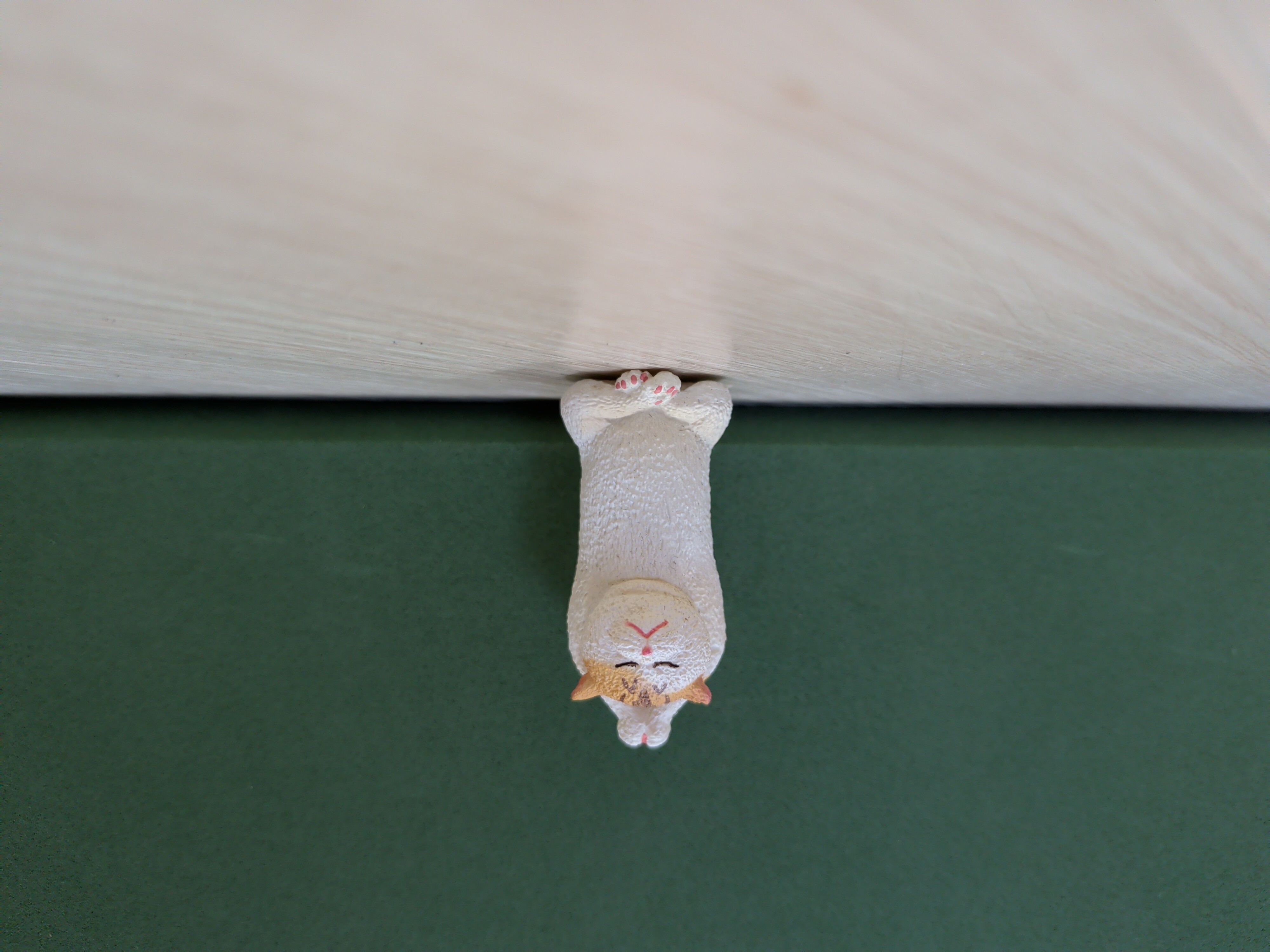
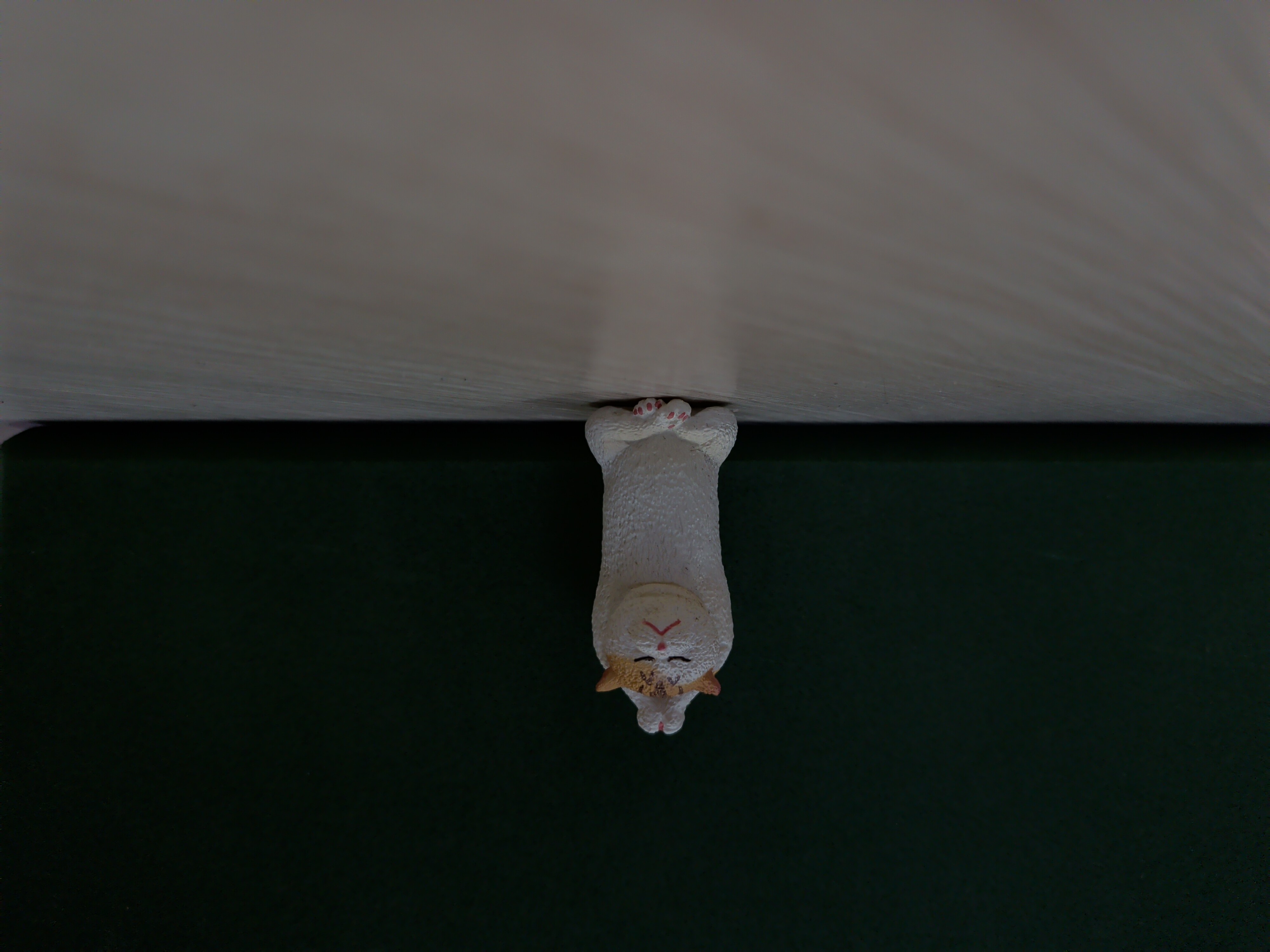
Here’s how it actually turned out. For the shutter set, ISO stayed fixed at 100 while shutter narrowed from 1/30 all the way to 1/500:
 |
 |
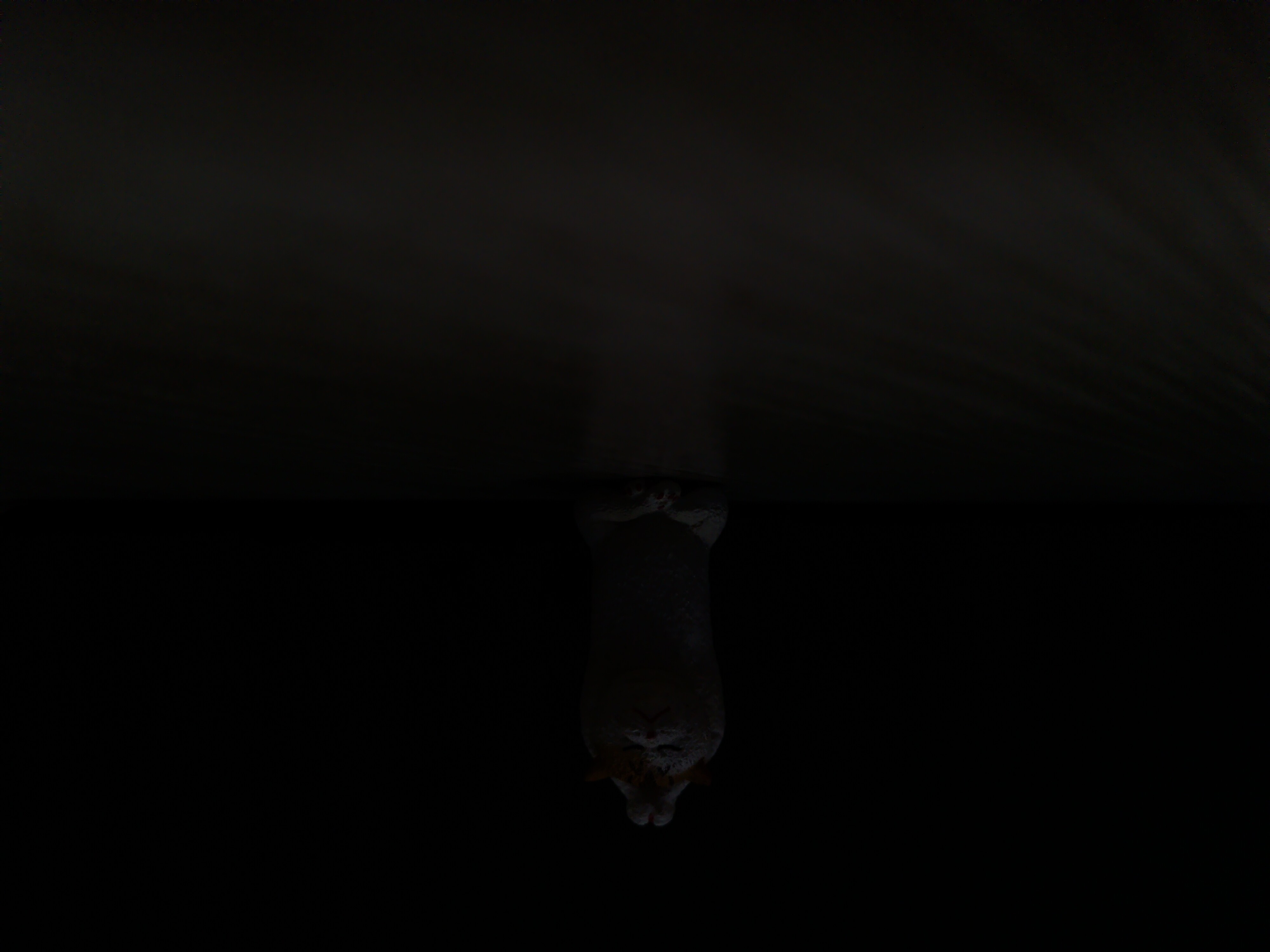 |
| 1/30 sec | About 1/125 sec | 1/500 sec |
| Properly exposed, sharp and bright | Noticeably dark, detail starting to disappear | Nearly all black, only the cat’s outline is visible |
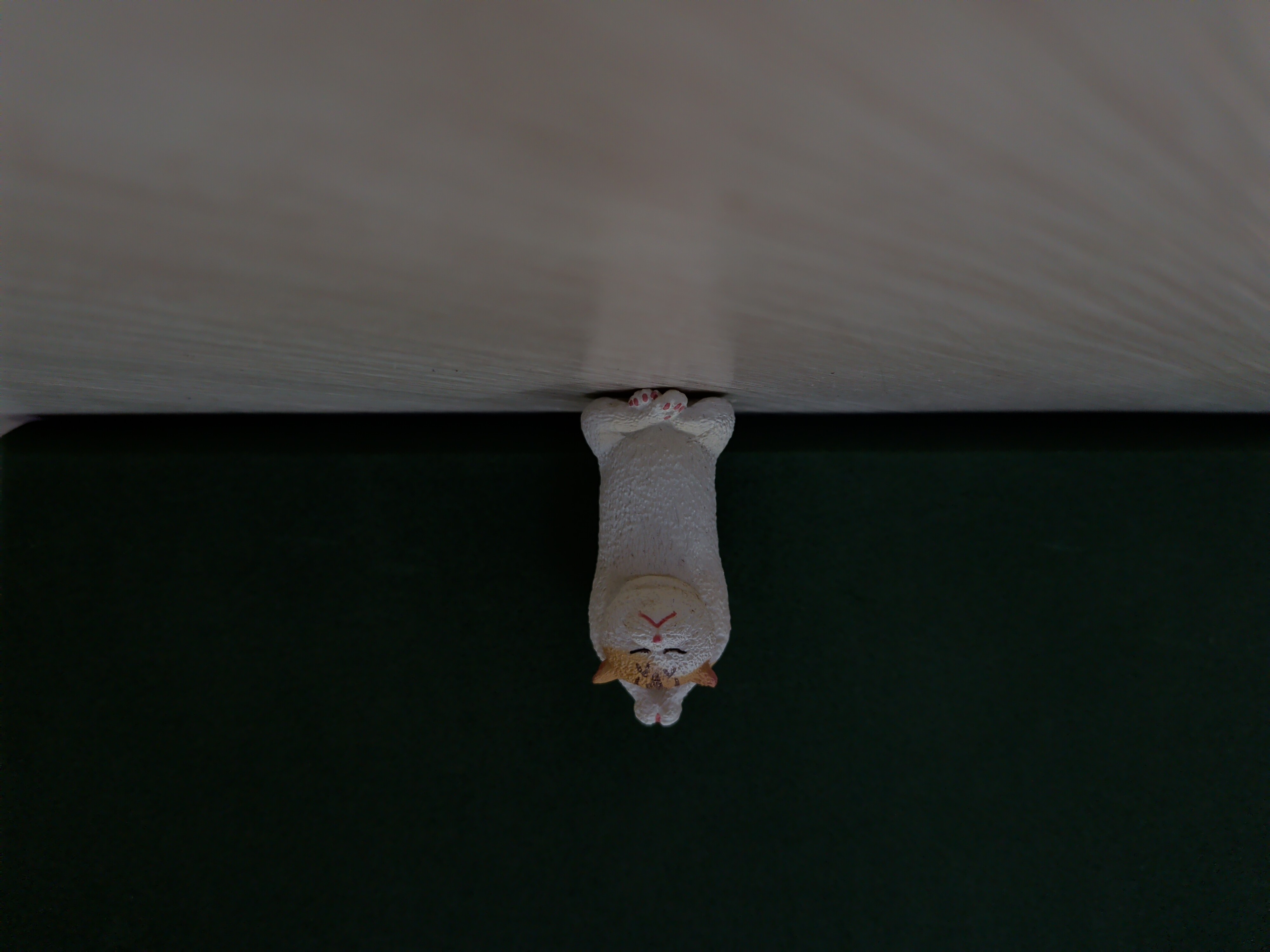
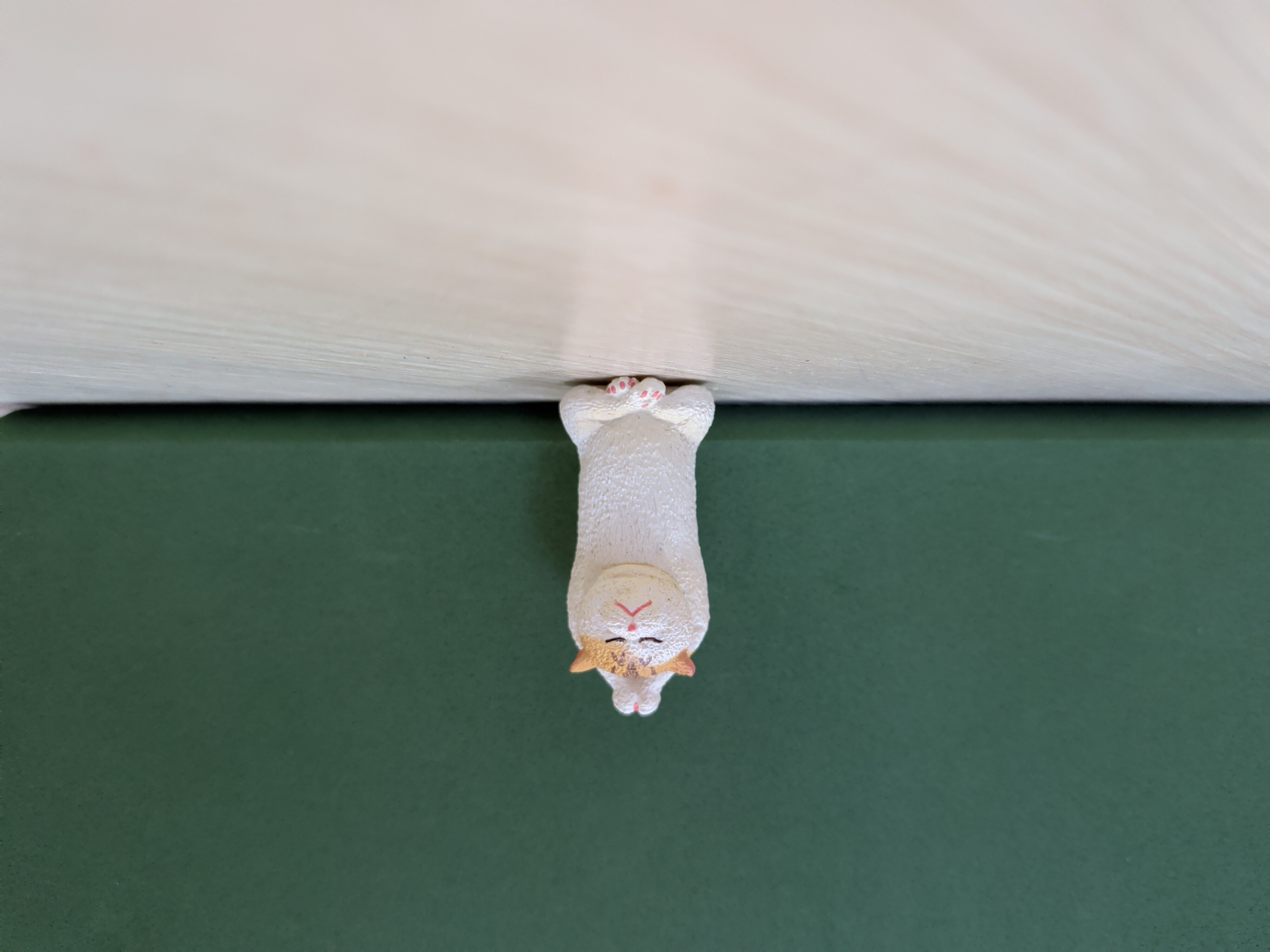
For the ISO set, shutter stayed fixed at about 1/125 second while ISO climbed from 100 all the way to 1600:
 |
 |
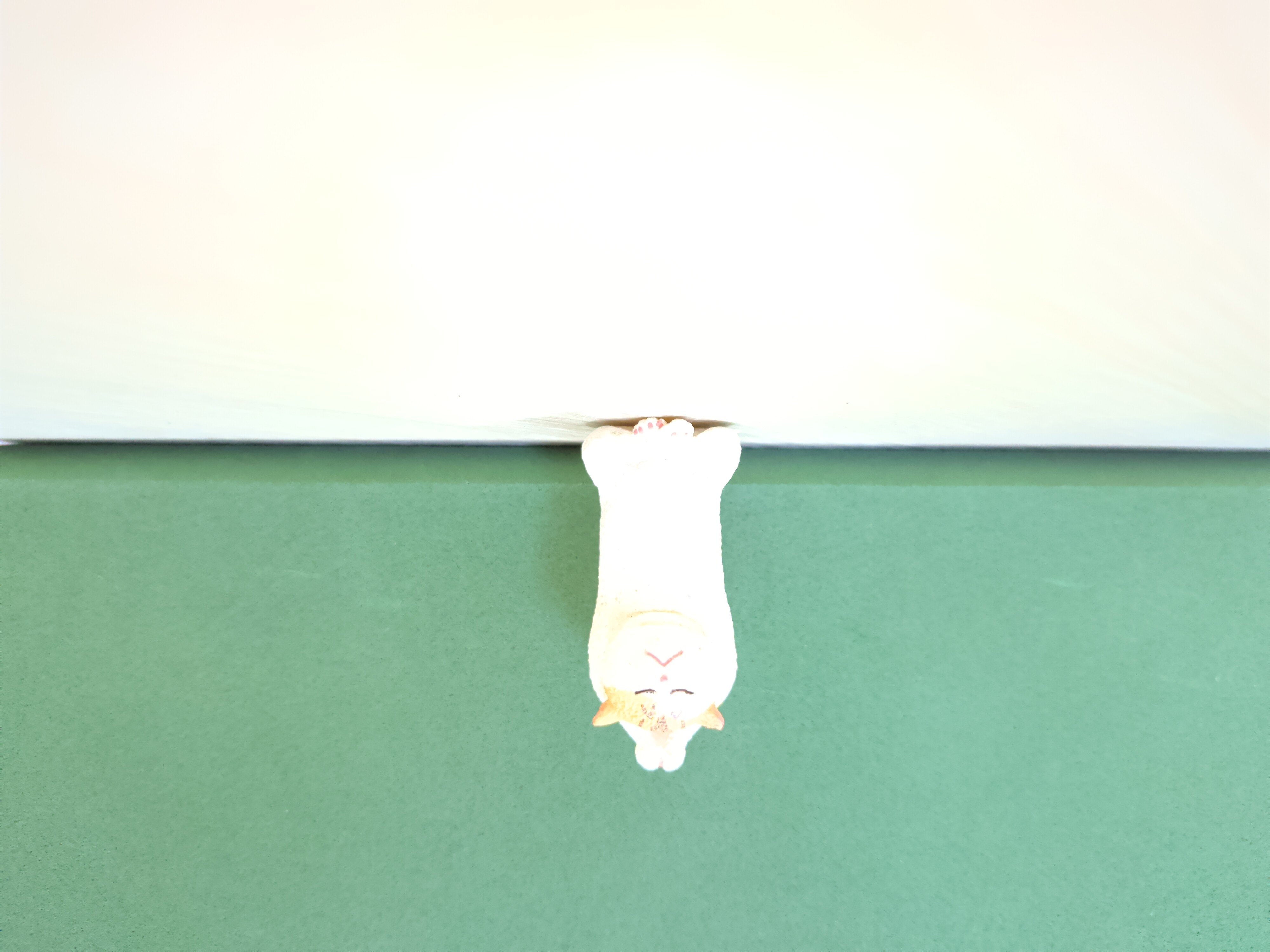 |
| ISO 100 | ISO 400 | ISO 1600 |
| Noticeably dark (this is actually the same exposure combo as the “about 1/125 sec” shot in the shutter set) | Properly exposed, sharp | Clearly overexposed, background almost blown to white, though the cat’s fur texture is still visible |
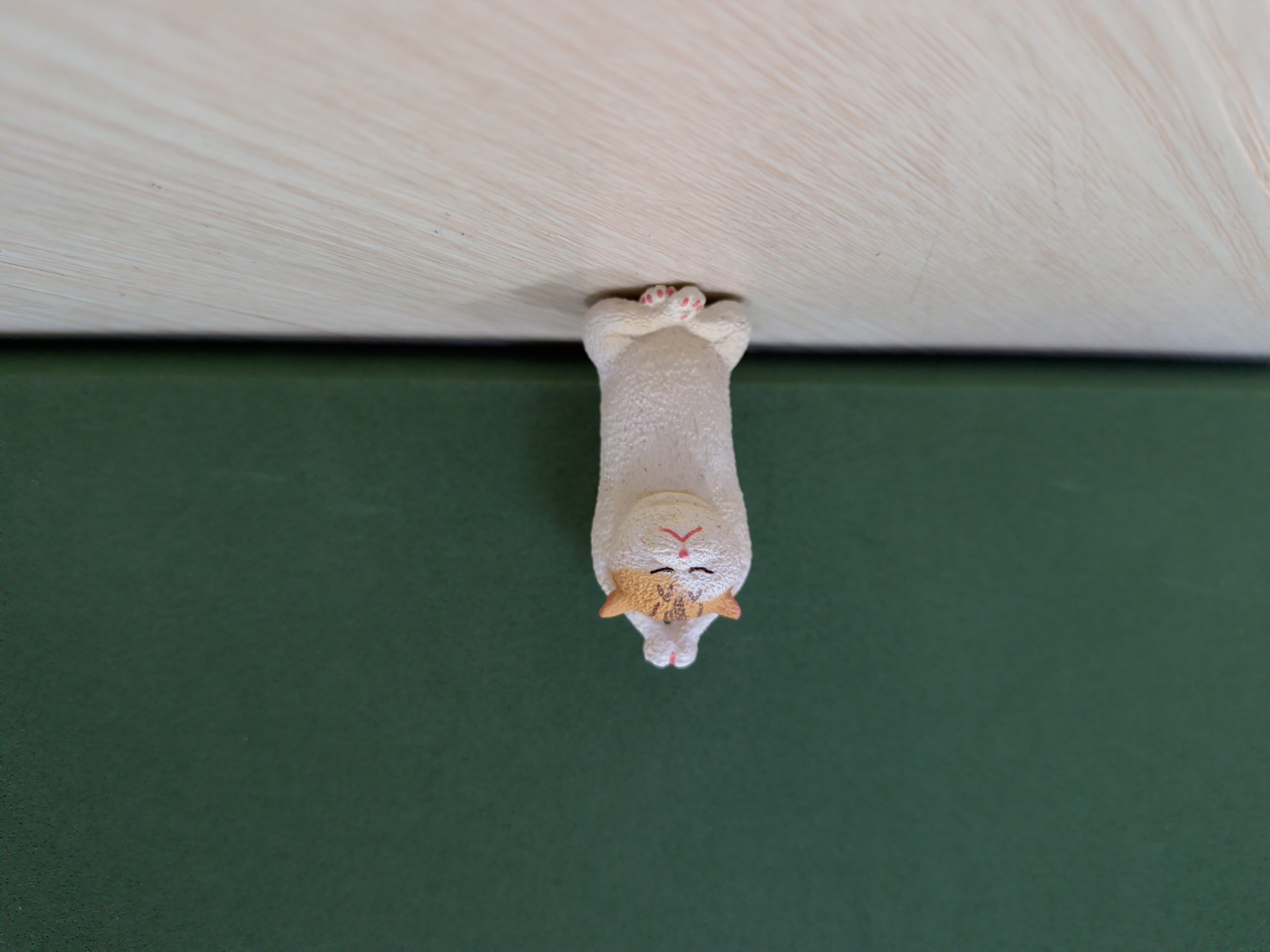
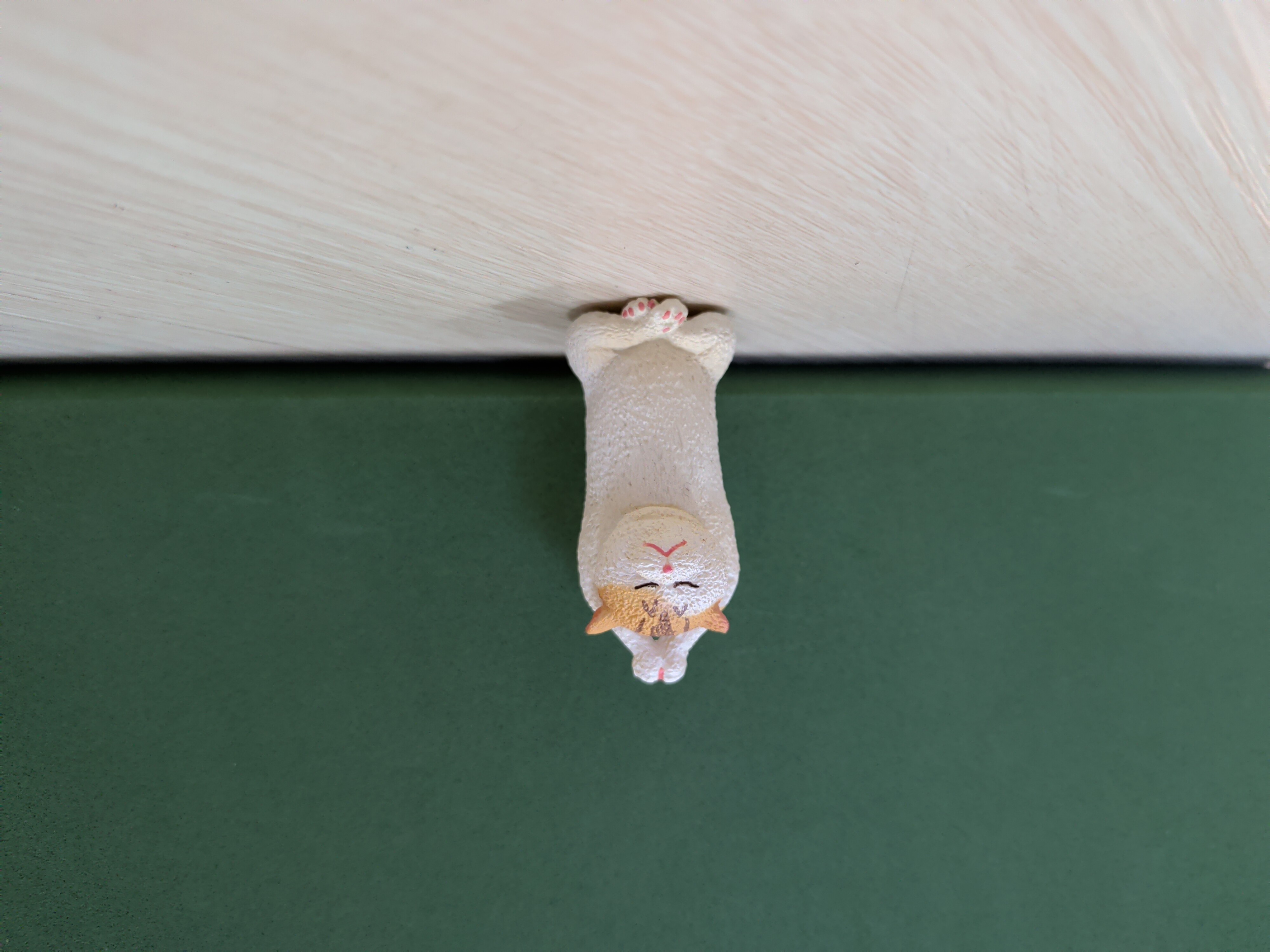
For the combined set, I kept brightness roughly consistent across all three, to see what actually differs between equally bright shots:
 |
 |
 |
| 1/30 sec, ISO 100 | About 1/125 sec, ISO 400 | 1/500 sec, ISO 1600 |
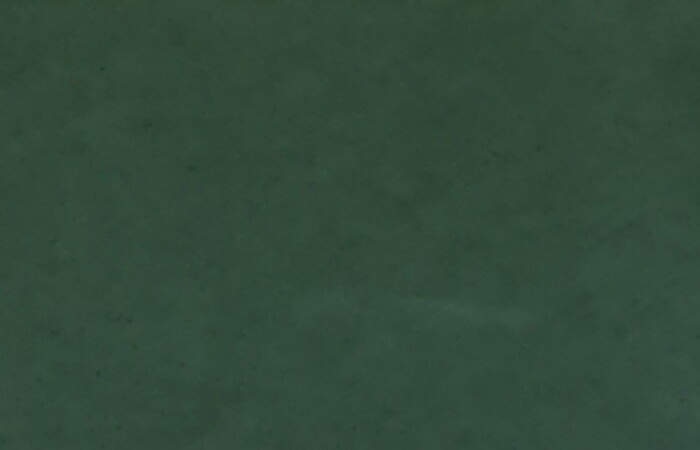
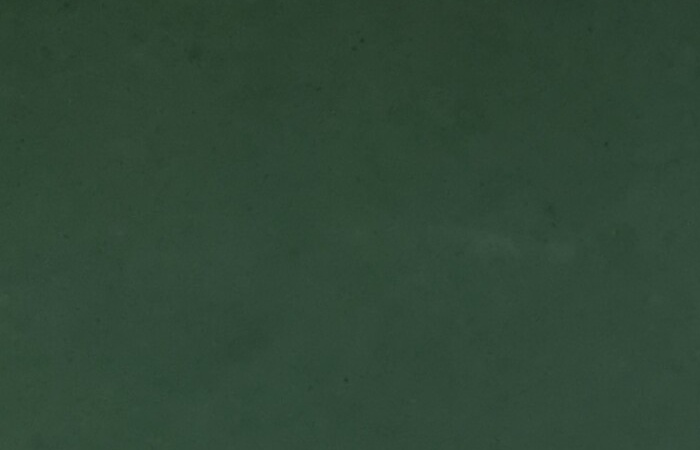
The full frame doesn’t show much difference, so here’s the same patch of backdrop cropped in tight from all three, for a direct comparison:
 |
 |
 |
| 1/30 sec, ISO 100 | About 1/125 sec, ISO 400 | 1/500 sec, ISO 1600 |
Even cropped in tight, it’s hard to call a winner, and that’s exactly the point: even with ISO stretched 16x from 100 to 1600, the visible noise barely widens at all. That’s not a coincidence. A phone camera never actually hands you the sensor’s raw signal: in Open Camera’s own source, the manual shutter-and-ISO path never touches the Camera2 API’s noise reduction mode, which means this whole test ran on whatever quality level the phone applies to a still photo by default, and Android’s default for stills already pushes noise reduction and sharpening to a level where the effect shows. So the real cost moved somewhere you can’t see it: the 1/30 second shot holds the shutter open longest, making it the one most likely to blur if your hand moves at all; the 1/500-second-plus-ISO-1600 shot forces the signal up hard, and measuring the cat’s own edge sharpness confirms its detail really is the lowest of the three, the cost just moved from visible noise to detail you don’t notice is missing, because noise reduction smoothed it away.
Looking at actual photos side by side makes these parameter changes land a lot more viscerally than just reading about them, and I’d recommend trying it yourself.
I realize I’ve rambled on for a lot longer than I meant to. What settings the stock camera app actually exposes, and how they differ, is a topic for another post if I get around to it.
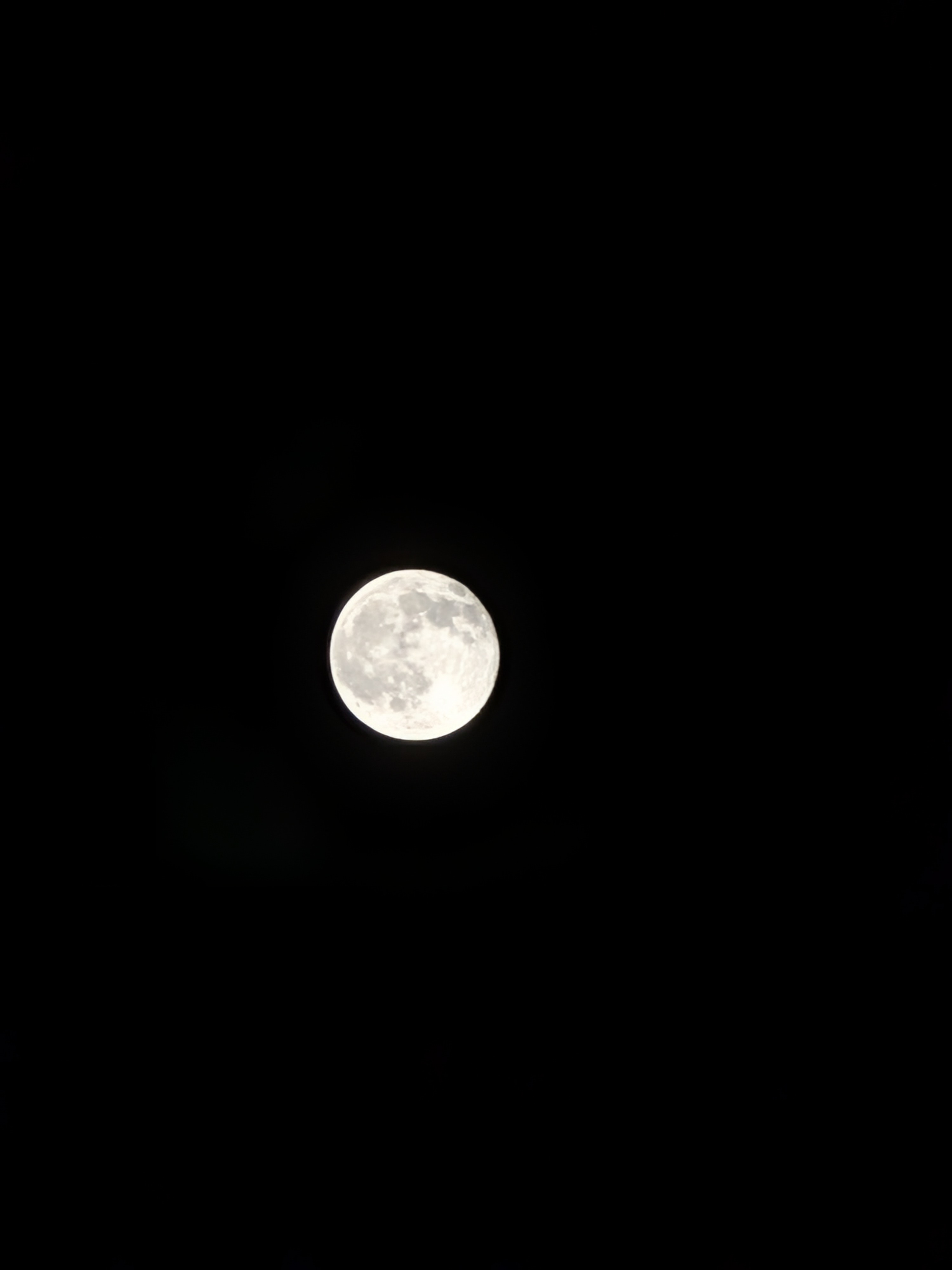
Here’s this year’s Mid-Autumn moon, and I actually got to put what I’d just learned to use: with the stock camera, I lowered the exposure to preserve the moon’s detail, then raised the shadows a bit so the dark parts of the night sky wouldn’t disappear entirely.
Happy Mid-Autumn Festival, everyone.